Layout
Left sidebar, right dock, top bar, top bar merged with the header, or icons only.
Now showing Citrus Steam. Your choice is remembered on this device only.
Search every page, guide and blog post. Try no-show, Airbnbor reviews.
Stock GoHighLevel lists every feature for every industry. In your customizer account you put Calendars, Conversations, Contacts and Opportunities at the top, push the owner-only rooms to the end, and pick a layout and menu style that fits your screens.
GoHighLevel sidebar menu customization changes the order, labels and layout of the app's navigation. With the customizer you choose a left sidebar, right dock, top bar or icons-only layout, then 8 top bar styles, 8 mega-menu styles for sub-pages and 8 header styles. Pages and automations are untouched.
Left sidebar, right dock, top bar, top bar merged with the header, or icons only.
Solid, Floating, Glass, Brand gradient, Underline, Segmented, Centered, Slim.
Columns, Split, Cascade, Tiles, Tabs, Icon rail, Accordion, Wide.
GoHighLevel default, Soft tint, Brand, Gradient, Aurora, Dark, Glass, Accent line.
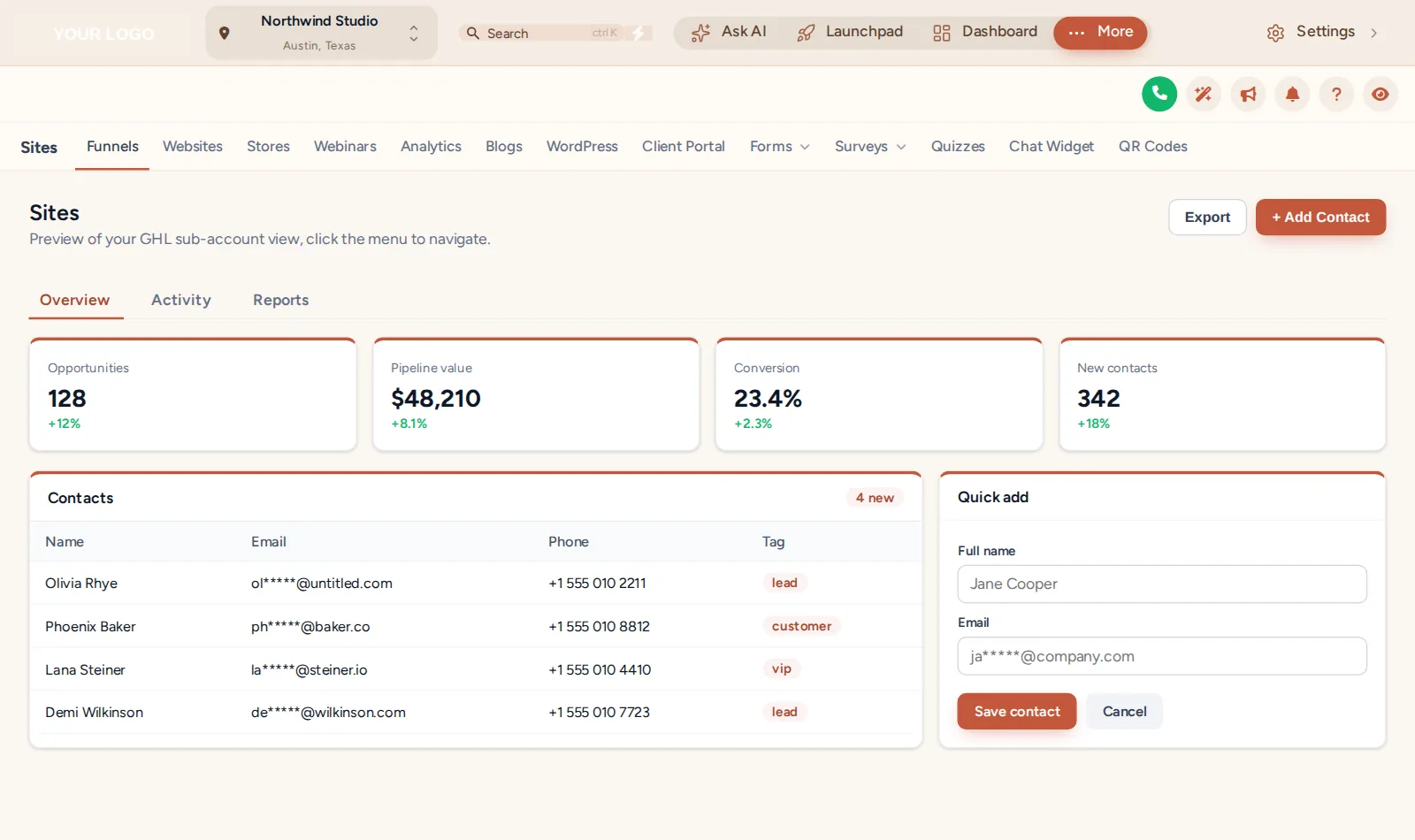
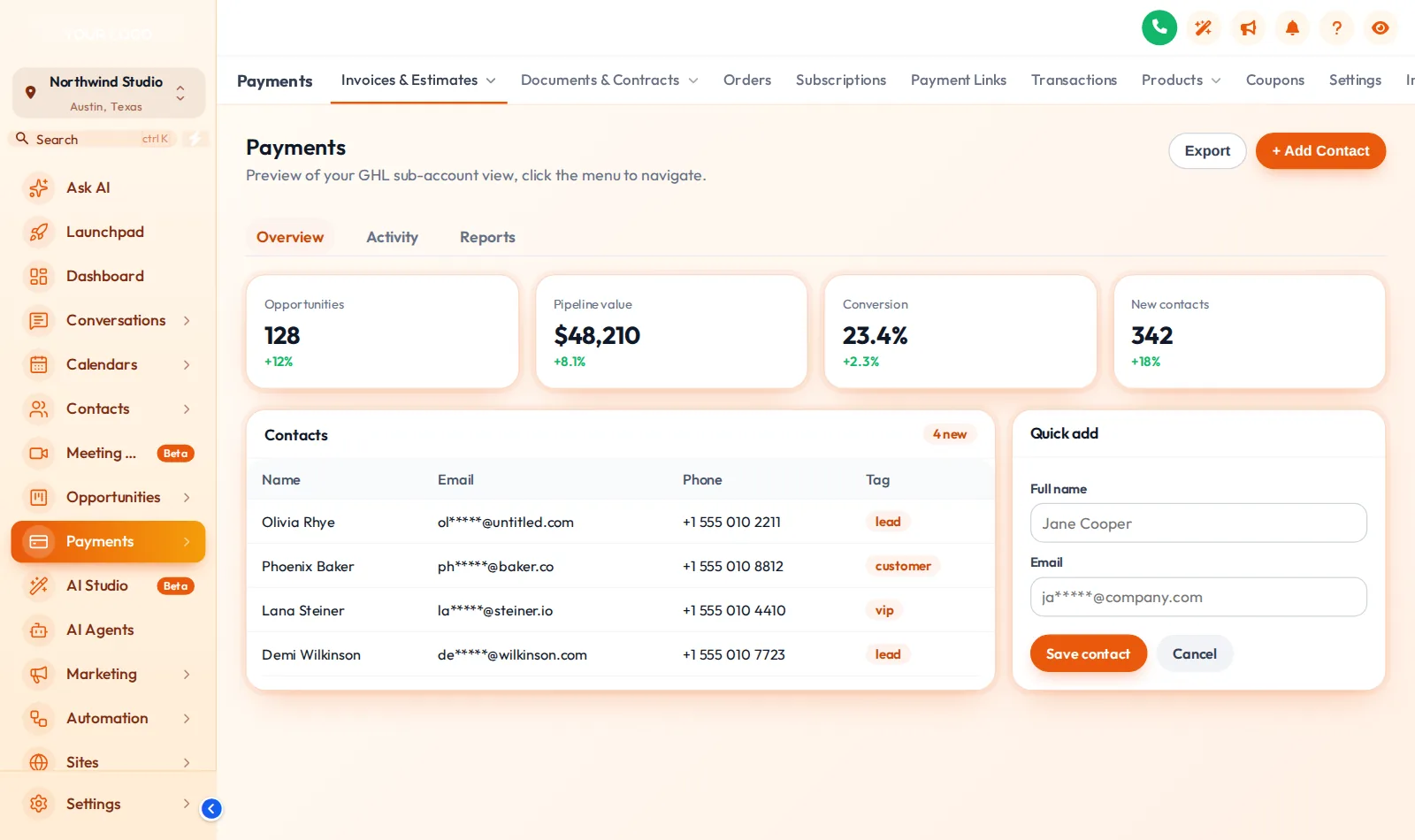
The person answering the phone lives in Calendars and Conversations. Putting them first saves a scroll on every call.
On a phone between jobs, a short, ordered menu beats hunting through thirty items.
When the menu reads like your workflow, you can teach it top to bottom.
Moving the menu up frees the full width for week views and dispatch.
Office, crews, owner: jot down which pages each opens daily.
Log in to the customizer and arrange the menu, then pick a layout that fits your screens.
Top bar, sub-menu and header styles in your theme's colors, previewed as you go.
Live through the one line in Custom JS; check it on desktop, tablet and phone.
An account that puts your brand on the two screens everyone sees first: the whole app and the sign-in page.
Menus and navigation is not part of Fresh Coat. It starts at the next tier up.
Get Fresh CoatEverything in Fresh Coat, plus the tools for the rooms your team works in all day: menus, the dashboard, the job pipeline and one-tap contact actions.
The whole house, top to bottom: every module, the website widgets, and an editor that carries your own brand.
Yes. In your customizer account you choose the layout (left sidebar, right dock, top bar or icons only), set the menu around how your office works, and style the sub-menus, top bar and header. The sidebar or top-bar layout is in every package; mega menus and the floating menu come with Deep Clean at $429.
You can order the menu so the daily sections sit at the top and rarely used ones move to the bottom. For access control (who may open what), GoHighLevel's own user roles and permissions remain the right tool.
A mega menu opens a section's sub-pages in a wide panel instead of a long list, so things like Sites or Payments show everything at once. The customizer has 8 mega-menu styles: Columns, Split, Cascade, Tiles, Tabs, Icon rail, Accordion, Wide.
Yes. Several themes and the layout options move the menu into a top bar, with 8 top bar styles (Solid, Floating, Glass, Brand gradient, Underline, Segmented, Centered, Slim). It suits offices on wide monitors that want more room for the calendar.
The strip across the top of each page with search and the action buttons. There are 8 styles, from GoHighLevel's default to Soft tint, Brand, Gradient, Glass and Accent line.
No. Pages keep their addresses and automations are untouched. Only the order and look of the navigation change.
Yes. On narrow screens the menu collapses the way GoHighLevel normally does, keeping your order and labels, so crews find Calendars first on a phone too.
Yes. Deep Clean and up include a floating quick menu in 3 layouts and 8 designs, for shortcuts that follow you around the app.
Yes, through the one line in agency settings. If your agency runs very different businesses, workspaces in your account let you keep separate looks, and sub-account self-service in Deep Clean and up lets clients adjust their own.
Every module lives in the same customizer account and goes live through the same one-line install, so these pair naturally. Or go back to the GHL Customizer overview or straight to package pricing.
Mega menus, dashboard and pipeline designers and contact actions on top of every theme and login: Deep Clean, $429 once.
GoHighLevel and HighLevel are trademarks of HighLevel Inc. Cleaning Services GHL Snapshot is independent and is not affiliated with, endorsed by or sponsored by HighLevel. The customizer platform your account runs on is provided by GHL Customer Care.
Manage how we use cookies. Necessary cookies keep the site working and can't be turned off.
Saved on this device. Press Esc to close.