
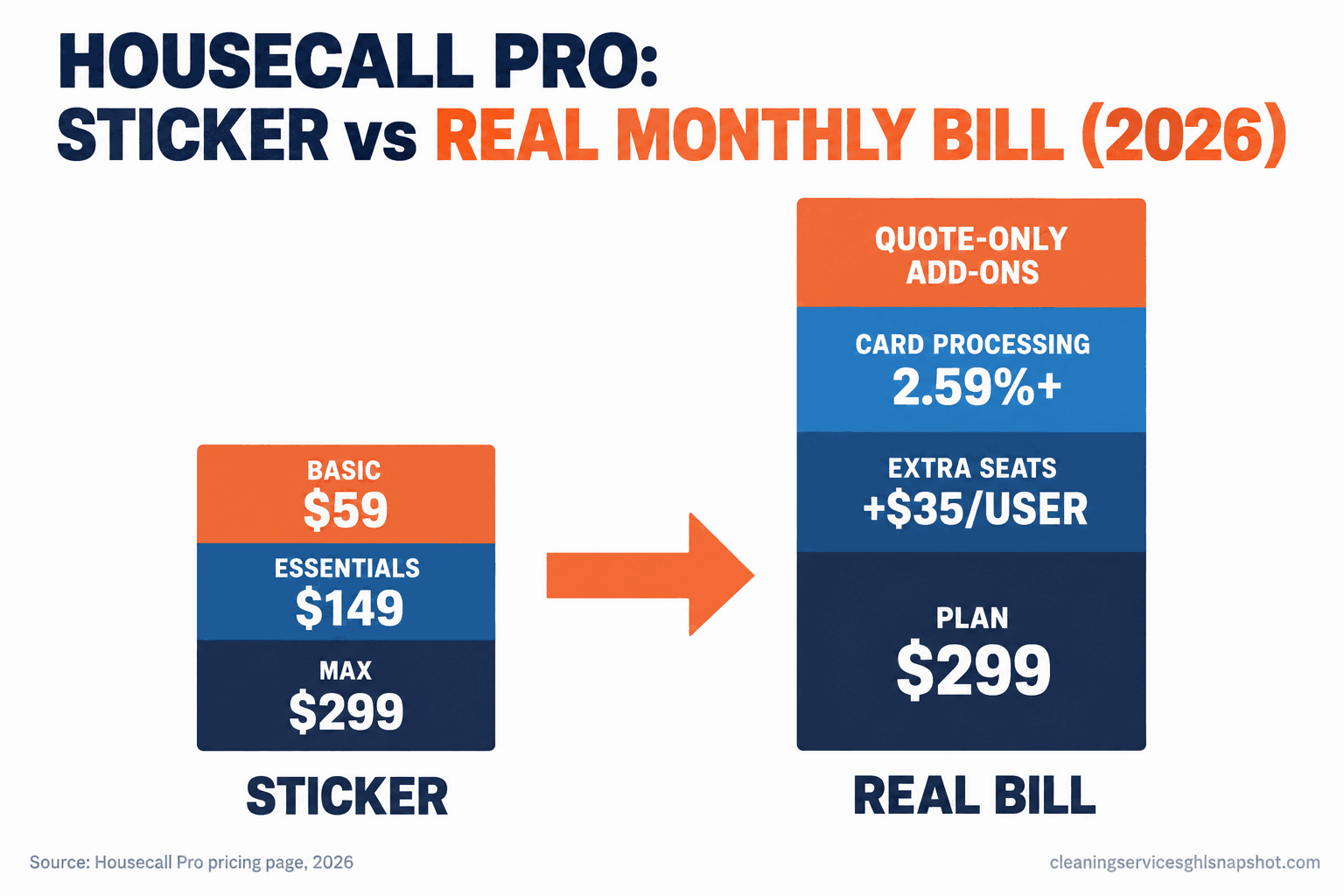
Short version: Housecall Pro does not hide its three plans. They are right there: $59, $149, and $299 a month on annual billing. What it does is let the real monthly bill drift well above that sticker. The plan covers one user, then five, then eight, and every cleaner past the cap is a new line item. Card processing starts at 2.59% and runs on every dollar you collect in the app, which for most shops is a bigger number than the subscription. And the features that actually move money, the AI receptionist, the pipeline, voice, campaigns, are add-ons with no public price, quoted only when you talk to sales. Below: every published price, the four places the bill grows, three real cost scenarios, and the exact questions to ask before you sign.
It is the end of the month and you are reconciling the bank. The Housecall Pro subscription line reads $149, exactly what you expected. Then you scroll down: a few hundred dollars labeled processing, an extra seat you added in July for your sixth cleaner, and a note from your rep about turning on the AI receptionist for “a small monthly add.” The $149 app is not a $149 app. If you are shopping Housecall Pro, or already on it and wondering why the real number keeps climbing, here is where the money goes before you commit.
Sources: employment and wage, BLS OEWS, May 2025 (median $17.07/hr, about $35,510/yr at full time, cross-checked on O*NET); business count, IBISWorld; card rate, Housecall Pro pricing page. All plan prices below are the published figures on that page at time of writing; confirm the live number before you buy.
Key Takeaways
- The three plans are public: Basic $59, Essentials $149, Max $299 a month on annual billing. The trap is not a hidden sticker. It is everything stacked on top.
- Seats are the first climb. Basic covers one user, Essentials five, Max eight. On Max, every extra cleaner is $35 a month. A 15-person shop pays $544 in seats alone.
- Card processing is usually the biggest line. At 2.59% and up, taking payments in the app costs most cleaning companies more per month than the subscription.
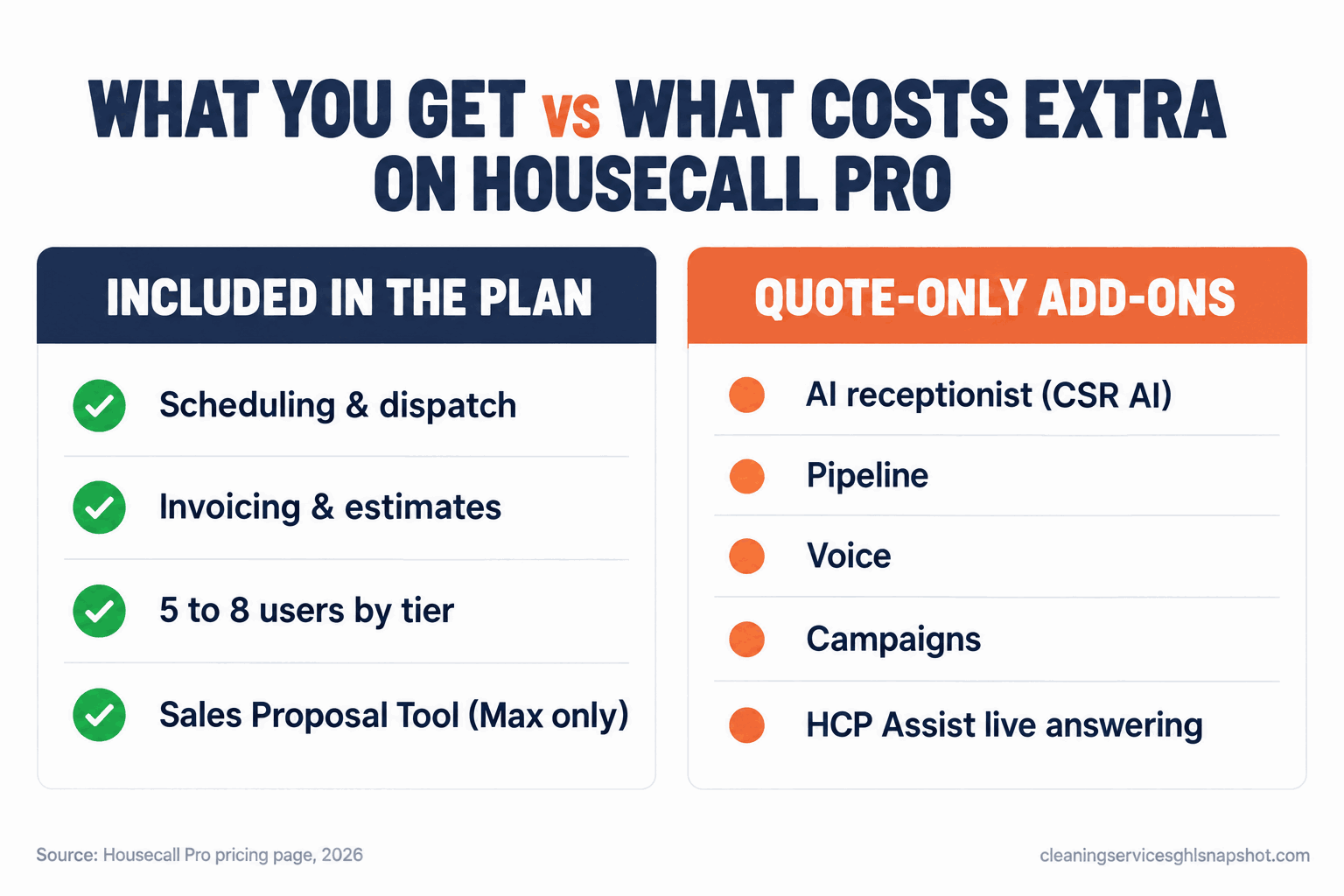
- The money features are quote-only. The AI receptionist (CSR AI), Pipeline, Voice, and Campaigns carry no public price; you learn the cost on a sales call, after you have committed to a plan.
Table of contents
- What Housecall Pro actually publishes
- Hidden fee 1: seat creep as you hire
- Hidden fee 2: card and ACH processing
- Hidden fee 3: the add-ons with no public price
- Hidden fee 4: the annual-vs-monthly premium
- What it actually costs: solo, mid-size, large
- Steal this: the questions to ask before you sign
- The flat, seat-free alternative
- Common objections
- Which plan fits you?
- Frequently asked questions
What Housecall Pro actually publishes
Credit where it is due: Housecall Pro puts its tiers on the page, unlike the enterprise field-service tools that make you book a demo to learn the price. Here is what the pricing page shows in 2026, cross-checked against teardowns at WorkZen and CostBench.
| Plan | Annual billing | Month-to-month | Users included | Who it is aimed at |
|---|---|---|---|---|
| Basic | $59/mo | $79/mo | 1 | A true solo operator |
| Essentials | $149/mo | $189/mo | 5 | A small crew-based shop |
| Max | $299/mo | $329/mo | 8 | A larger team that wants proposals and routing |
On annual billing that is $708, $1,788, or $3,588 a year before you process a payment or add a seat, and you can plan around those. The bill parts ways with the sticker the moment your business looks like a real cleaning company: more than one person, taking card payments, wanting the features that book and keep customers. That happens in four places.
Hidden fee 1: seat creep as you hire
This one catches growing shops, because the user count baked into each plan is a ceiling, not a starting point.
Basic is one user. The day you hire your first cleaner who needs the app, you upgrade to Essentials. Essentials covers five, which sounds generous until you count: you, an office person, and three cleaners is five, and the fourth tips you over. Max covers eight, and on Max each additional user is $35 a month per the published page.
So the math on a growing shop runs like this. Nine cleaners plus you on Max is $299 plus two seats, $369 a month. Fifteen users is $299 plus seven seats at $35: $544 a month, $6,528 a year, for the scheduling app alone. The sticker said $299. Worse, the page lists that $35 rate only for Max; independent 2026 guides report rates as high as $100 a month on Essentials, so the cost of outgrowing it is unclear until you ask.
Monthly Housecall Pro subscription by team size, annual billing, using the published $35/mo extra-user rate on Max. Source: Housecall Pro pricing page. Processing and add-ons stack on top.
Hidden fee 2: card and ACH processing
For most cleaning companies this is the single biggest Housecall Pro cost, and the one owners discount because it does not read as a “subscription.” The page states card processing “as low as 2.59%” and a 1% fee on bank (ACH) payments. Independent breakdowns at ServicePro report the real menu is tiered: about 2.59% for a card tapped in person, roughly 2.99% for an online invoice payment, and around 3.49% for a keyed, business, or Amex card. “As low as” means the best case, and a lot of cleaning payments are not the best case.
Run it against a real shop. Collect $40,000 a month, most through cards in the app, and at 2.59% that is $1,036 a month; at the 2.99% online rate, $1,196. Either way the processing line is several times the $149 or $299 subscription, and it never shows in the plan comparison because it is filed as a payment cost, not a software cost.
Two honest points. You would pay card fees with almost any provider, so the job is to count it, not pretend a competitor makes it free. And ACH at 1% is cheaper, so steering recurring clients onto bank payments is one of your few real levers. More in how to get cleaning clients to pay automatically.
Hidden fee 3: the add-ons with no public price
Here is where “they publish their prices” stops being the whole truth. The three plan prices are public. The features most likely to grow your business are not.
Scroll the pricing page and you find a row of add-ons listed with no dollar figure: CSR AI (the AI call answering), Pipeline, Voice, Campaigns, Payroll, Accounting, HCP Assist (live phone answering), Consumer Financing, VGPS and dashcams, and a Sales Proposal Tool. The Sales Proposal Tool is flagged as a “$40/mo value” bundled into Max. The rest are quote-only: you learn the number on a sales call, after you have committed to a plan.
Look at which features those are. The AI receptionist and live answering are exactly what stops you losing the 7:40am quote call while up a ladder. Campaigns and Pipeline are the marketing and follow-up layer; Voice is the calling system. The parts that turn a scheduling app into a lead-and-retention machine are the parts without a published price, so a shop that switches them on can land a few hundred dollars a month above the sticker, with no way to model it in advance.
Hidden fee 4: the annual-vs-monthly premium
The headline prices ($59, $149, $299) are the annual-billing numbers. Pay month to month and the same plans run $79, $189, and $329, a premium of roughly 10% to 25% for not locking in.
This is a fair trade, not a trick, but it sets up a bind. Go annual and you save, but you have committed a year to a tool you have used for one day. The page also shows a first-month promo (as low as $26 at the time of writing), which lowers the cost of trying but does nothing about the commitment if you then go annual for the real rate.
The practical rule: never sign annual on day one. Run month to month long enough to see the whole bill at your real team size and payment volume, with whatever add-ons you turn on, and convert only once the tool has earned its full cost, not its sticker.
What it actually costs: solo, mid-size, large
The sticker is the same for everyone. The real bill is not, because seats and processing scale with your business. The whole number for three honest profiles:
Solo operator (you, maybe a part-time helper). Plan: Basic at $59 annual, or Essentials at $149 the moment a second person needs the app. Processing: $8,000 a month on cards at 2.59% is $207. Real monthly cost: roughly $266 to $356 all-in. For a solo the plan price is a rounding error next to processing, so your lever is payment mix, not plan tier.
Mid-size (six to eight cleaners). Plan: realistically Max at $299, because seven or eight people blow past Essentials’ five-user cap. Processing: $40,000 a month on cards is about $1,036. Add one or two quote-only features (say the AI receptionist and campaigns), a conservative $200 to $400 more. Real monthly cost: roughly $1,535 to $1,735 against a $299 sticker. This is the band where most shops feel the gap.
Large (15-plus, residential or janitorial). Plan: Max at $299 plus seven-plus seats at $35, so $544 for 15 users, $719 for 20. Processing: $100,000 a month on cards is $2,590. Add-ons at scale push higher. Real monthly cost: comfortably $3,100-plus, of which the subscription is under 20%. At this size the per-seat model works against you every time you hire. (Illustrative estimates from the published plan and $35 extra-user prices plus the 2.59% card rate at the stated volumes; your number varies with team size, payment mix, and add-ons.)
Steal this: the questions to ask before you sign
Do not walk into the sales call and ask “how much is it.” You already know the plan price. Ask the questions that surface the rest of the bill, and get a number in writing for each before you commit.
The seat question. “I have X people today and expect Y in twelve months. What is my total monthly cost at Y, including every extra-user fee?” Make them do the twelve-month math, not today’s.
The processing question. “What is my exact card rate for an in-person tap, an online invoice payment, and a keyed card? What is the ACH rate and is there a cap? I process about $Z a month, so what is that in dollars?”
The add-on question. “I want the AI call answering, campaigns, and voice. What does each cost, and is any of it in the plan you are quoting?” If the answer is “it depends,” the real number is not on the page.
The lock-in question. “If I sign annual and it is not working in three months, what happens? Can I pay monthly first and convert later at the annual rate?”
Fill in the one-line worksheet with their answers, so you compare a real number, not a sticker:
The deeper version of the processing and labor math for your own shop is in what a cleaning job actually costs you.
Disclosure: the GoHighLevel link above is an affiliate link. If you start a plan through it we may earn a commission, at no extra cost to you. We only recommend tools we build on ourselves.
The flat, seat-free alternative
The structural issue is not any single fee. It is the shape: you pay more as you hire (seats), more as you sell (processing), and more as you add the features that help (quote-only add-ons). Every axis of growth is also an axis of cost, and a flat, seat-free platform inverts that. GoHighLevel charges a flat rate (Starter around $97, Unlimited around $297) with no per-user fee, and lead capture, two-way SMS, online booking, pipelines, and review automation are included rather than bolted on. For a 15-person shop paying $544 a month in seats before processing, that compounds fast. We dig into it in GoHighLevel vs Housecall Pro and the Jobber angle in Jobber vs Housecall Pro.
The catch with any flat platform is that flexible power means setup work. And whatever tool you text from, US business SMS at volume needs A2P 10DLC registration and consent, covered in TCPA and 10DLC for cleaners. If you want the flat-price platform without building the pipelines, booking flow, and SMS sequences by hand, that is exactly what our pre-built system installs for you.
Common objections
“Isn’t Housecall Pro worth it for the features, even at the real price?” For some shops, yes. If you need heavy field-service invoicing and dispatching and its specific integrations, and the whole bill still pencils out, it is a capable tool. The problem is not that it is bad software. It is that owners compare the $149 sticker to an alternative’s real price and conclude it is cheaper, when the honest comparison is real-to-real. Do that and the gap often closes or flips.
“I already pay card fees somewhere, so does the rate even matter?” It matters because the rate and the payment mix are both levers. A half-point difference on $40,000 a month is $2,400 a year, and steering recurring clients to ACH at 1% instead of card at 2.59% on the same $40,000 saves over $600 a month. Whoever you process with, those dollars are real.
“Do I need to be technical to switch off Housecall Pro?” No, but you need a plan so you do not lose your calendar. Export your client list and recurring schedule, rebuild the recurring jobs first, test the new booking link before you announce anything, and keep the old tool read-only for 30 days. The only way to lose bookings is flipping the public link before the new calendar is tested, a method covered in ZenMaid alternatives.
Which plan fits you?
True solo, app is just your calendar and invoicing: Basic at $59 is fine, and your cost conversation is payment mix, not plan tier. Small crew of three to five: Essentials at $149, but price your next two hires first, because the five-user cap arrives fast. Six-plus wanting proposals and routing: Max at $299 plus seats plus processing plus add-ons, the band where a flat, seat-free platform usually wins the real-to-real comparison. And if your actual pain is lost leads and no-shows, not invoicing, the plan tier is the wrong question; start with missed-call text-back.
Frequently asked questions
Does Housecall Pro have hidden fees?
The three plan prices ($59, $149, $299 a month on annual billing) are public, so the base price is not hidden. What is not obvious up front is the rest of the bill: extra-user seat fees as you hire, card processing from 2.59% on every payment you take in the app, and add-ons like the AI receptionist, Pipeline, Voice and Campaigns that carry no public price and are quoted only on a sales call. For most cleaning companies those stacked costs exceed the subscription.
How much does Housecall Pro really cost per month for a cleaning business?
The plan is $59 (Basic, 1 user), $149 (Essentials, 5 users) or $299 (Max, 8 users) on annual billing. But a real six-to-eight-cleaner shop is typically on Max plus about $1,000 a month in processing on $40,000 of card volume, landing near $1,500+ all-in. A 15-person shop pays $544 in seats alone before processing. The sticker is often under 20% of the true bill at scale.
How much are extra users on Housecall Pro?
The pricing page lists $35 a month per additional user on Max. Basic includes one user and Essentials five, and the page does not publish an extra-user rate for those lower tiers, so the cost of outgrowing Essentials is unclear until you ask. Some independent 2026 guides report figures as high as $100 a month per added user on Essentials, worth confirming in writing.
What are Housecall Pro's payment processing fees?
The pricing page states card processing 'as low as 2.59%' and a 1% fee on bank (ACH) payments. Independent breakdowns report a tiered card menu: roughly 2.59% for an in-person tap, about 2.99% for an online invoice payment, and around 3.49% for a keyed, business or Amex card. On real volume this is usually the single biggest line of the bill.
Is the AI receptionist included in Housecall Pro's price?
No. The AI call answering (CSR AI) and live phone answering (HCP Assist) are add-ons with no public price, so you learn the cost on a sales call, not from the plan comparison. The Sales Proposal Tool is bundled into Max as a stated $40/mo value, but AI, Pipeline, Voice and Campaigns are quote-only.
What is a cheaper alternative to Housecall Pro for cleaning companies?
Flat, seat-free platforms like GoHighLevel (around $97 to $297 a month, no per-user fee) often win the real-to-real comparison for growing shops, because lead capture, SMS, booking and follow-up are included rather than quote-only add-ons. The trade is setup work. Compare your true all-in Housecall Pro number, not the sticker, against the flat price before deciding.